How to turn a photo into a Halloween portrait you recognise
Learn how to choose a photo, select a Halloween portrait style and check your likeness. Create a free preview before choosing a finished portrait.
The strongest Halloween transformation starts with a face you can recognise. Costumes, painted backgrounds and dramatic lighting can change the atmosphere completely, but the portrait should still have a clear connection to the person in the source photo.
With Fable, you choose a Halloween style, add your photo and create an AI-generated portrait preview. You do not need to photograph yourself in costume. The useful preparation is choosing a clear source image and knowing what to inspect when the result appears.
Choose a Halloween style and create a free preview.
Choose the atmosphere, keep the likeness
Compare the article’s candlelit, theatrical and spectral examples before adding your own photo.
Halloween — The Scarlet Oracle
Portrait style
Candlelit ceremony and richly detailed clothing offer the guide’s dramatic oracle direction.
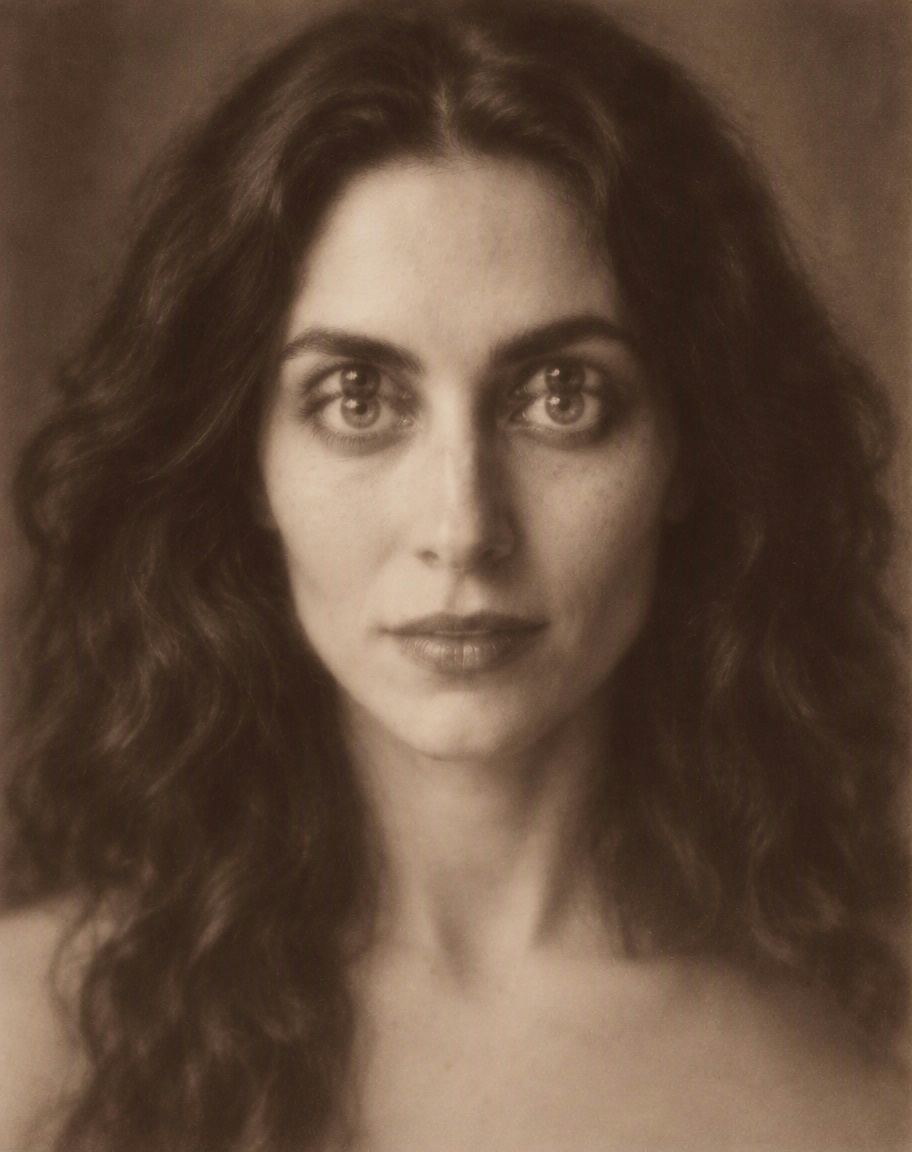
Halloween — Casati Apparition
Portrait style
The quieter apparition keeps attention close to the face rather than an action-filled scene.
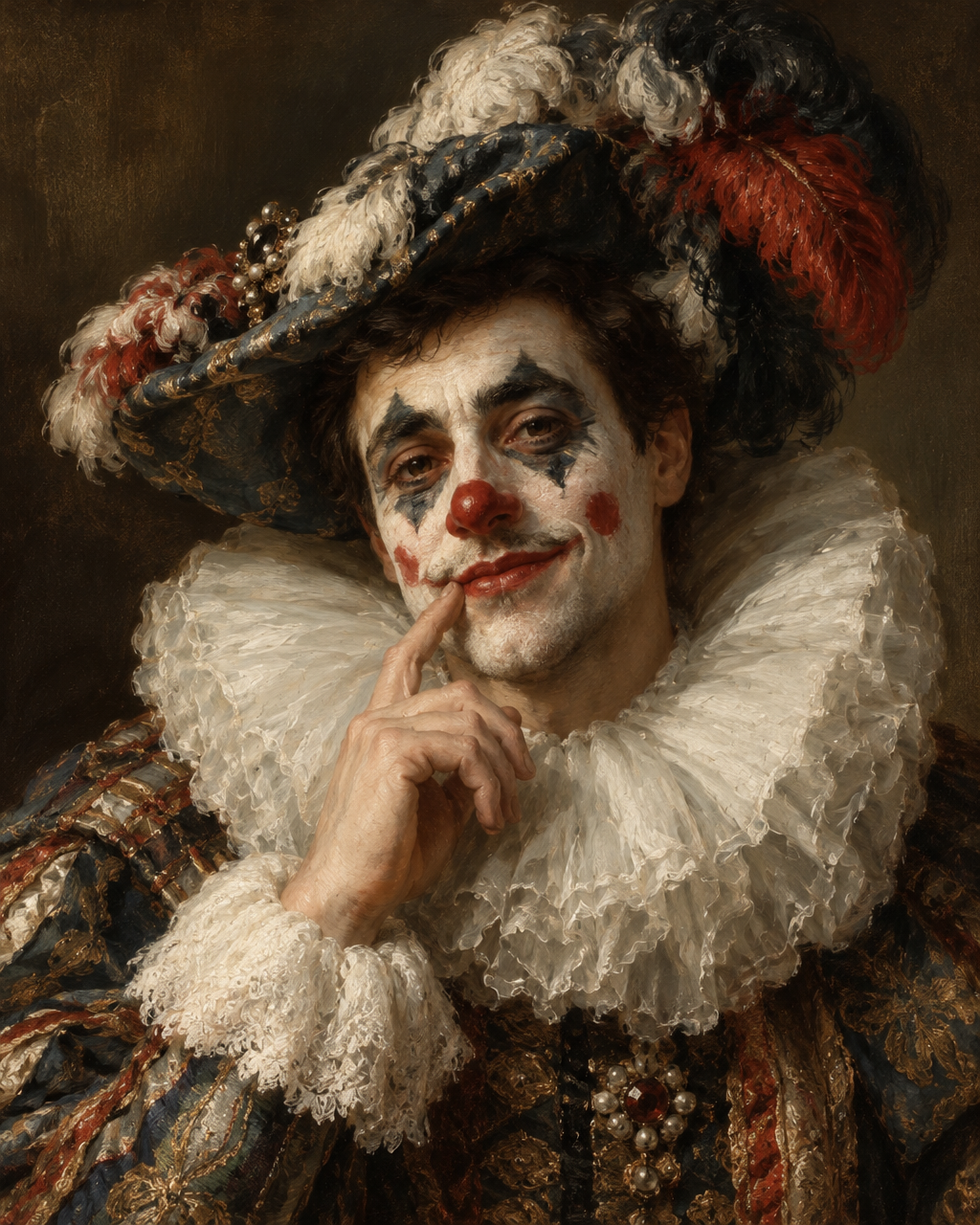
Halloween — The Melancholy Jester
Portrait style
The theatrical jester makes expression and painted makeup part of the transformation.
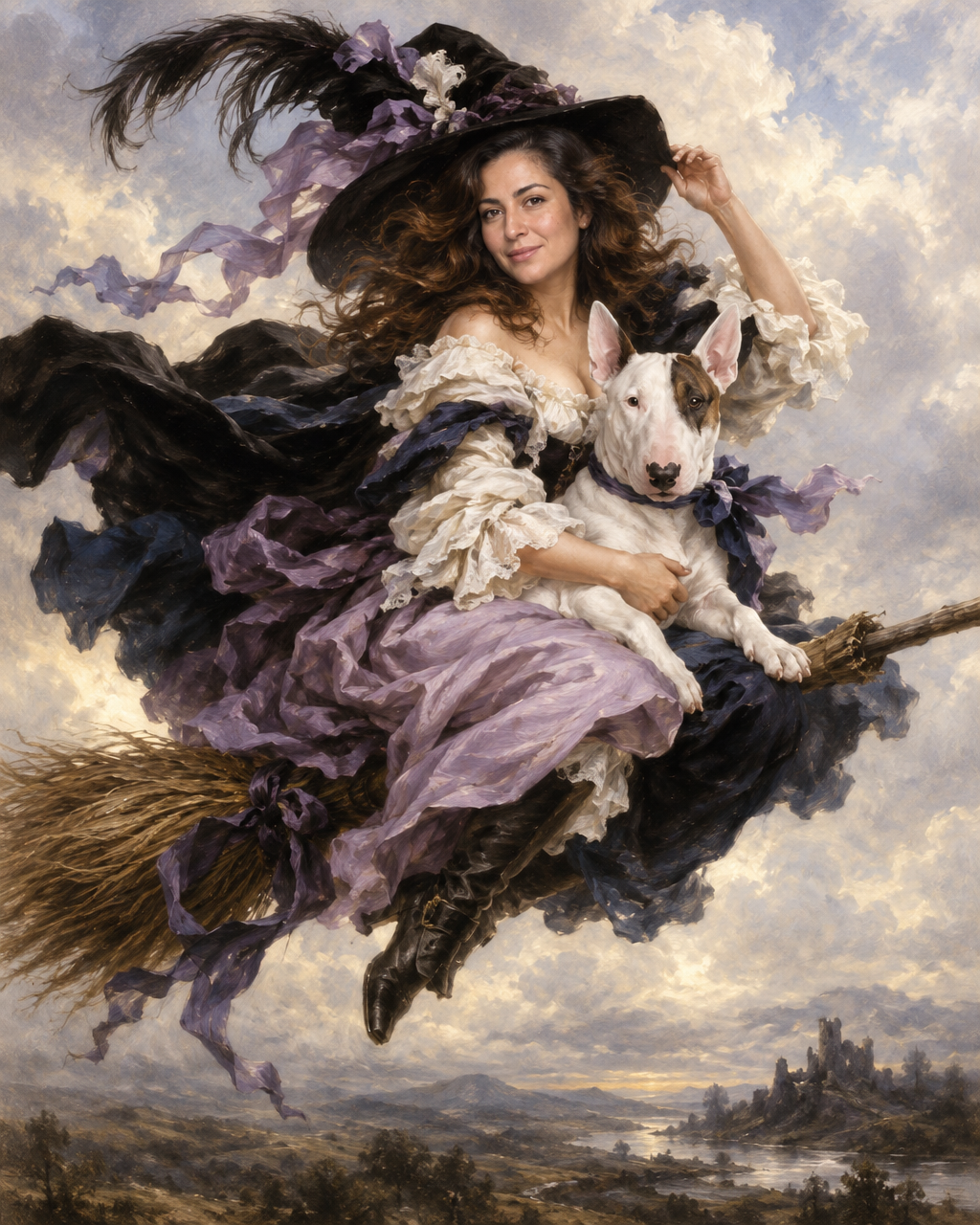
Halloween — The Lilac Flight
Portrait style
The flying witch scene discussed in the article has solo, couple and person-with-pet examples to inspect.
Halloween — Medusa’s Gaze
Portrait style
The guide’s Medusa transformation is a deliberately macabre mythological direction to inspect before choosing.
1. Decide who is in the portrait
Start with the number and type of subjects. A solo portrait, a couple and a person with a pet need different compositions. Choose the appropriate example before uploading rather than assuming a single-person scene will make room for everyone.
The Lilac Flight has examples for a solo portrait, a couple and a person with a pet. These links open the relevant example within the Halloween collection so you can see the intended arrangement.
2. Choose a clear source photo
Use a photo where the face is in focus and the eyes, nose and mouth are easy to see. A busy background matters less than a face hidden in shadow. Prefer the original photo to a screenshot of a small social-media image when you have it.
Gentle daylight is a useful starting point. Strong coloured light can make natural skin tones harder to judge, while a bright light directly behind the person can leave too little facial detail. Avoid heavy filters that change the shape of the eyes or smooth away distinctive features.
You are choosing useful reference information, not making a finished studio portrait. An ordinary photograph can be a better source than a dramatic one if it shows the person more clearly.
3. Pick the atmosphere you want
Compare styles by mood and composition. The Scarlet Oracle uses candlelit ceremony and richly detailed clothing. Casati Apparition keeps the attention closer to the face. The Melancholy Jester makes theatrical makeup part of the transformation.
Choose one whose treatment of expression appeals to you. A restrained source photo and a highly expressive fantasy scene can produce a very different feeling from a quiet painted portrait.
4. Upload and create the preview
Follow the photo controls for the selected style. If you are including another person or a pet, make sure the relevant photos are included rather than expecting the subject in the example to represent your companion.
Create the preview and let the result guide your next decision. The preview is free. It is separate from buying a finished download or physical product, so review the options shown before placing an order.
5. Review more than the face
First ask whether the likeness feels right. Look at the spacing of the eyes, the mouth and the outline of the face. Then check the expression: a technically attractive image can still feel unlike its subject if the smile or gaze is wrong.
Next, inspect the connection between face and body. Skin colour and painted light should feel consistent across the face, neck and visible hands. Check the scale of the head against the shoulders, and look for awkward fingers or gestures.
Finally, view the full composition. Hats, wings, pets and flowing clothing are part of the portrait; they should not only look good in a close-up. Review the whole painting before choosing a crop for sharing.
What if the likeness feels wrong?
Return to the reference photo first. Was the face small, blurred, filtered or partly covered? Try a clearer source and compare the result. If the style’s expression is the part you dislike, a quieter portrait may suit you better than the most dramatic option.
AI generation can vary, and a new attempt is not a guarantee of a particular result. Use the preview to decide whether the image is right for you rather than accepting it simply because the costume looks convincing.
Can I use the same photo to explore different styles?
A clear source photo gives you a consistent starting point for comparing styles. Keep your attention on what changes: expression, light, clothing and the balance of the scene. That makes it easier to distinguish a style you enjoy from a result that merely feels new.
Browse the Halloween portraits and start with a free preview. Choose the world you want to enter, then make sure you still recognise yourself inside it.
For a broader checklist, read how to choose a photo for your Fable portrait.