Christmas card from photo: choose, make and check the portrait
Start with a clear photograph, compare a historical portrait reference and check the finished card at the size your recipient will see.
A Christmas card from photo begins with a choice about what the photograph is for. You may want to place the photograph itself in a card, or use it as the starting point for a new portrait. Fable’s Christmas portrait card route follows the second idea: the source photograph supplies the people, while the available portrait treatment gives the image a different visual setting.
That distinction matters before you upload anything. The historical paintings in this guide show ways to think about a face, a group and a room; they are not photographs of completed customer orders. Choose a photograph you have permission to use, decide who belongs in the picture and keep the finished greeting simple enough that the portrait remains the reason to open it.
For a related starting point, read how to create a Christmas card with ai, create Christmas picture from photos, family Christmas cards.
Start with the face you want to recognise
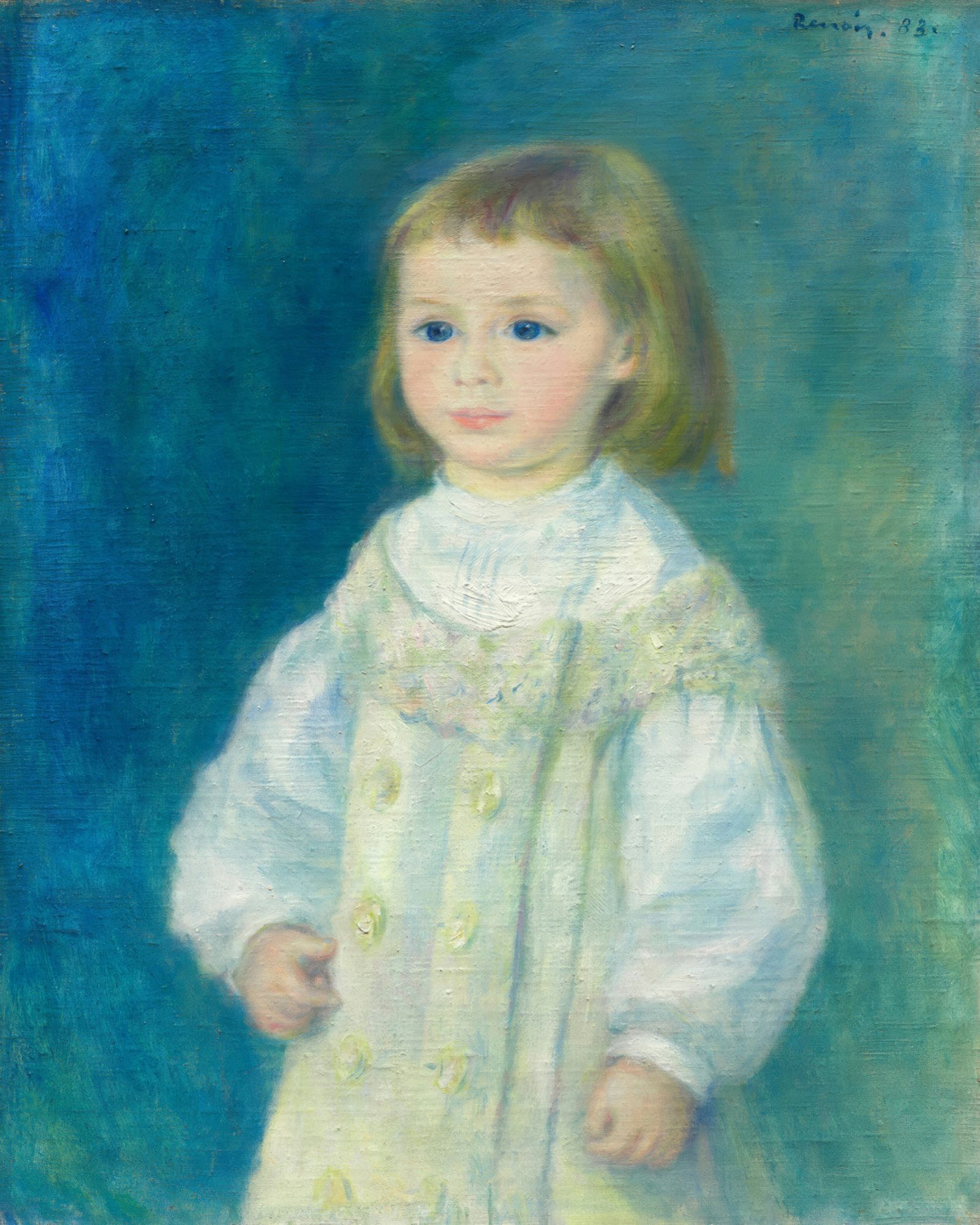
Lucie Berard (Child in White) — Pierre-Auguste Renoir, 1883. Art Institute of Chicago. Prepared for print by Surrealium at Vaxholm Fortress, Sweden.
Renoir’s Lucie Bérard stands against a blue ground with her face clearly separated from the surrounding colour. The reference offers a useful first question for your own photograph: can you see the person properly? Look for visible eyes, an unobstructed face and an expression the family recognises. A favourite moment is not always the strongest source if the important face is blurred or hidden.
Use the original file when possible. A screenshot of a photograph inside a messaging app may have lost detail or gained text and interface edges. Open the file on a larger screen and inspect it before starting. If you cannot confidently identify the features there, a new portrait is not a reliable way to recover information that the photograph never captured.
Choose the people before the style
Decide whether the card is from one person, a couple or a family. That decision affects the source photograph and the available portrait options, and it is easier to settle before choosing a favourite historical setting. For a group, check every face rather than accepting one excellent expression at the expense of someone partly obscured behind another person.
Ask the people pictured whether they are comfortable with the image being used. For children, agree the choice with the responsible adults and avoid adding unnecessary identifying information to a greeting that could be forwarded. If the card comes from several households, make sure the names and relationships are represented accurately. The photograph should support the greeting you intend to send, not dictate a story that leaves someone out.
Let a room connect a group
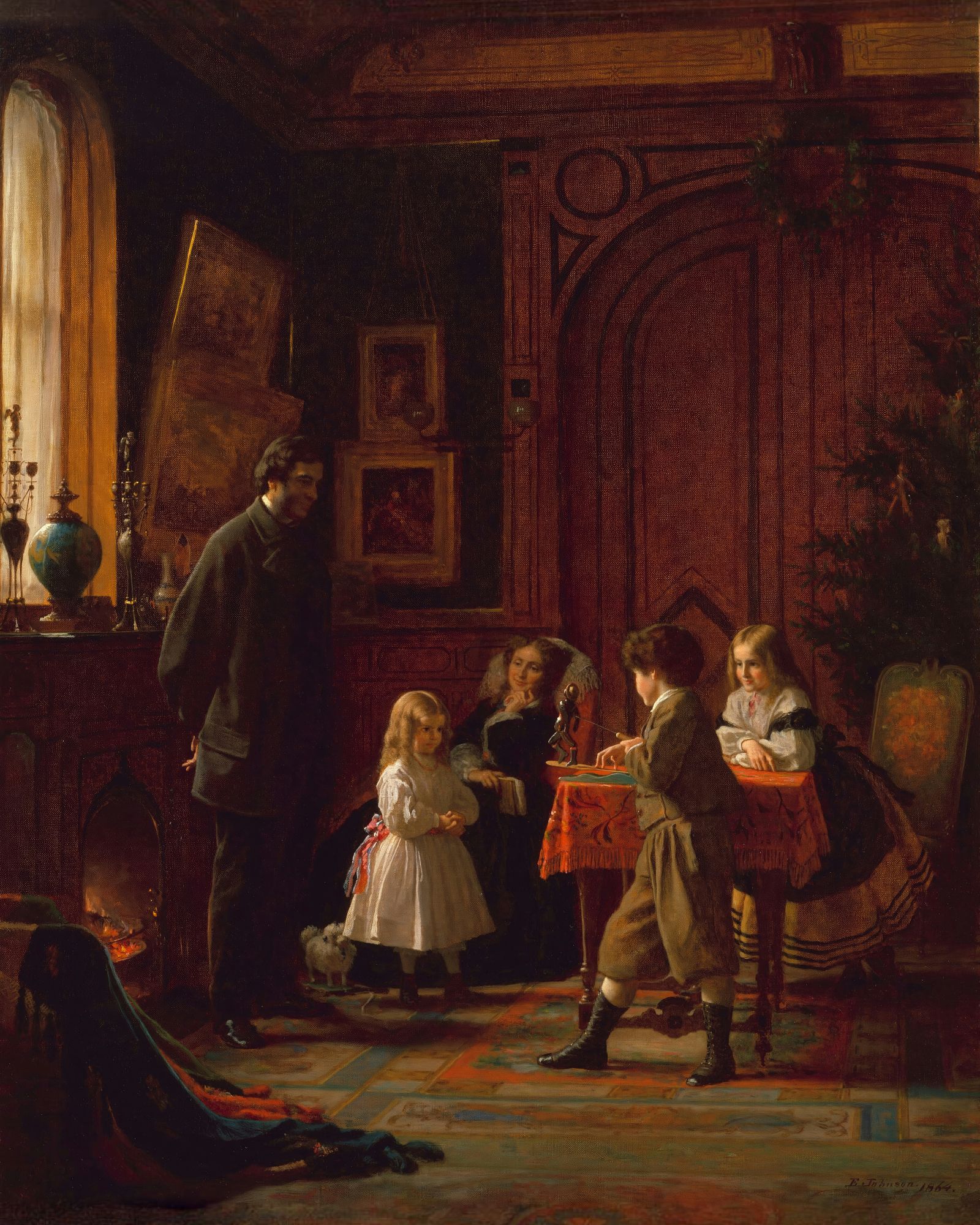
Christmas-Time, The Blodgett Family — Eastman Johnson, 1864. The Metropolitan Museum of Art. Prepared for print by Surrealium at Vaxholm Fortress, Sweden.
Eastman Johnson’s Blodgett family occupies different parts of an interior, with the furniture and light helping the figures belong together. It is a useful reference for a family photograph because a shared setting can connect people without forcing every head into a single straight line. You do not need to reproduce the historical room to learn from that arrangement.
For your own image, keep enough space around the group to understand where bodies and hands belong. Avoid photographing from an extreme angle that enlarges the nearest face and reduces the others. Take a few versions while everyone remains comfortable, then select a complete frame. Do not assume that separate mistakes will automatically be repaired simply because the final portrait is newly made. Compare the available portrait style with your own photograph.
Compare the reference with the available treatment
A historical painting can help you identify a mood: close, formal, lively or quiet. It cannot prove that a particular treatment is currently available or that every element will appear in the result. Open the Christmas portrait card route and compare the options actually offered there. Look at the whole reference, including its proportions, rather than choosing only from the clothing or the colour of a thumbnail.
Keep the person as the main criterion. A treatment that suits the composition but makes a familiar face feel unlike itself is not improved by adding more decoration. If two people are choosing together, agree what matters most before making the card. That short conversation can prevent a later disagreement about whether the image should be recognisable, theatrical, restrained or humorous.
Use Christmas light without losing faces
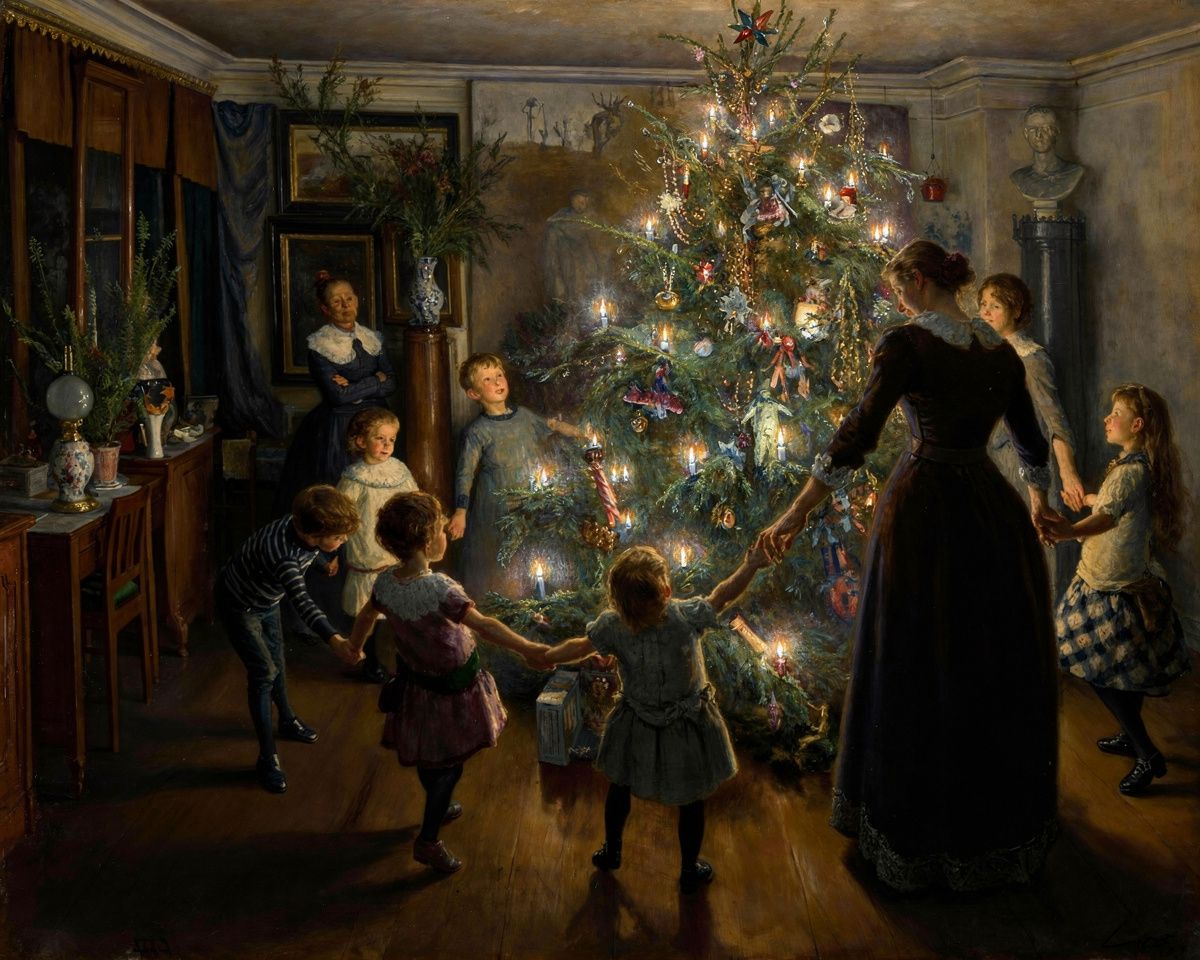
Glade jul (Happy Christmas) — Viggo Johansen, 1891. The Hirschsprung Collection, Copenhagen. Restored by Surrealium at Vaxholm Fortress, Sweden.
Johansen’s Happy Christmas gathers people around a lit tree, with the glow giving the room its atmosphere. In a real source photograph, however, a bright tree behind a person can leave the face difficult to see. Use the painting as inspiration for a shared focus, not as a technical instruction to rely on tiny decorative lights.
Choose a photograph with sufficient, even light on the people. You can keep a festive object nearby without allowing it to cover a face or become the brightest thing in the frame. Check the darker parts of the image before uploading, especially dark hair, clothing and pets. The card’s seasonal mood can also come from the message, so there is no need to sacrifice a clear photograph for a more elaborate setting.
Read the portrait before reading the words
When a preview is available, inspect the people first. Check the number of figures, the eyes, the shape of the face, hands that matter to the pose and any visible pet markings. Then step back and look at the whole arrangement. A detail can appear plausible close up while the overall posture still feels uncomfortable or unlike the source.
Only after that should you judge the greeting. Read names letter by letter and make sure the sign-off represents the people sending the card. If you are showing the preview to another family member, ask them to check one concrete thing rather than simply asking whether they like it. A second reader is particularly useful for names, dates and a familiar expression that you may have stopped noticing.
Keep the card face easy to read
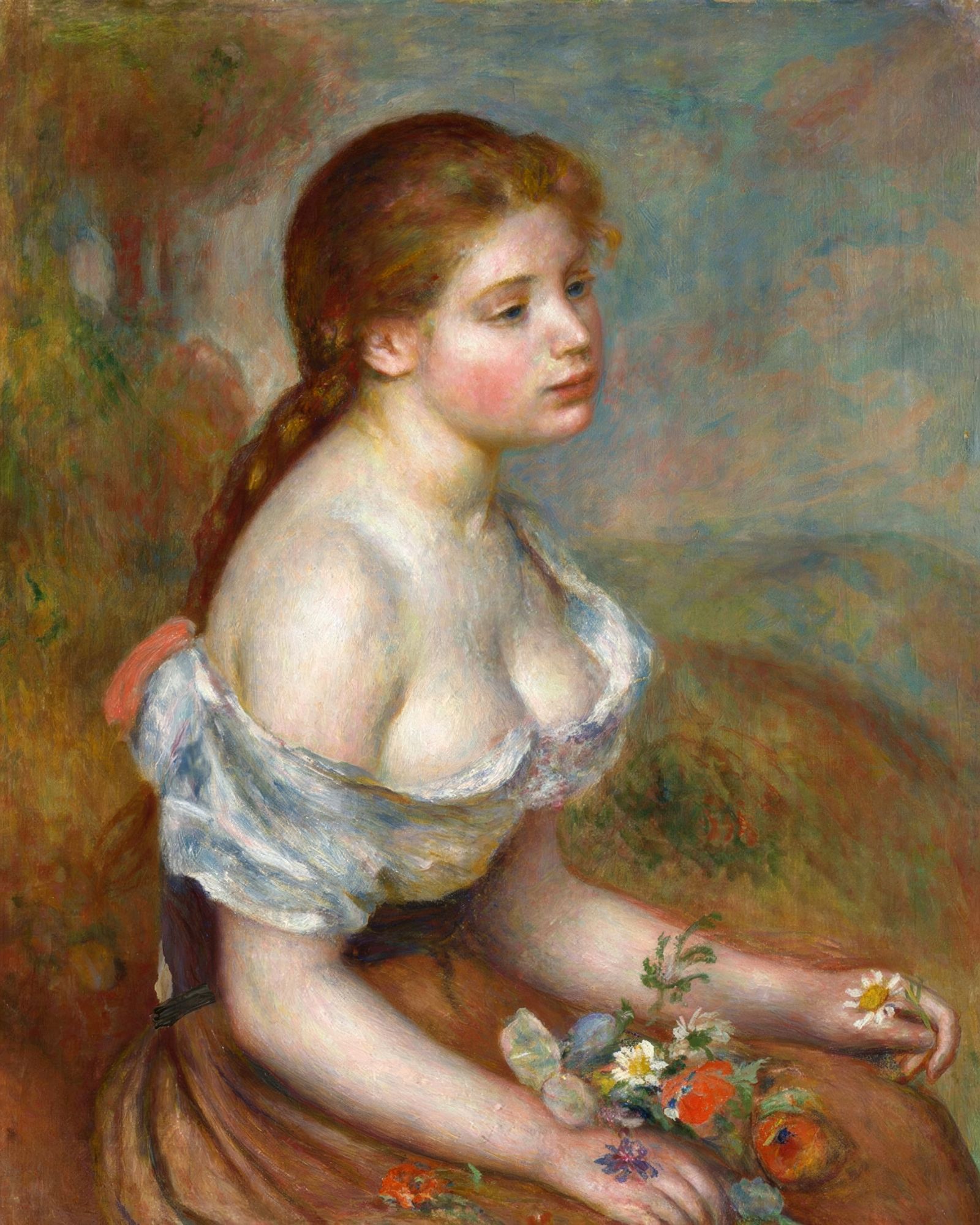
A Young Girl with Daisies — Auguste Renoir, 1889. The Metropolitan Museum of Art, New York. Restored by Surrealium at Vaxholm Fortress, Sweden.
Renoir’s girl with daisies leaves the face clear while a small object provides context lower in the composition. The same hierarchy is useful in a card: the portrait should remain legible, with the greeting placed where the actual design gives it room. A large title over a face rarely makes the message more personal.
Preview the card at phone size as well as on a desktop. Read the smallest text without zooming and check that no important part of the image has been hidden by the layout. If the message feels crowded, shorten it before shrinking the type. A Christmas card can hold one good sentence; a longer family update can travel separately, leaving the image and the greeting room to work together.
Choose the format after the preview
Decide how the recipient will receive the card once the picture and message are settled. The card flow distinguishes the digital product, “Your Christmas card (digital)”, from “Your Christmas postcards”. Use the options and terms shown in the current flow rather than assuming that a saved preview, a share link, a downloadable file and a printed order are all the same thing.
Before any purchase, check what is included and the details shown for the selected format. For a link, inspect the recipient view and the intended recipient before sending it through your chosen channel. For a physical order, verify the delivery details in the checkout. This guide does not supply a Christmas order-by date or a promise about arrival; those decisions belong to the current product information.
A good photo portrait card is a sequence of small decisions: the right people, a clear source, a suitable treatment, a recognisable result and words you mean. Keep the original photograph and the final wording together so you can check them against the preview. If an image does not feel right, return to the source choice instead of trying to hide the problem beneath lettering or decorations. Begin with the Christmas portrait card route when you have a photograph you are happy to use.
Continue with the Christmas card picture guide, planning a seasonal photograph.
- Can I make a Christmas card from an ordinary phone photo?
- A clear original phone photograph can be a useful starting point. Check that faces are visible and sharp enough, avoid heavy filters, and use the original file rather than a screenshot or a repeatedly forwarded copy.
- Is a photo portrait card the same as printing my photograph?
- No. A portrait made from a photograph is a new image based on it. If your priority is preserving the photograph exactly, make that distinction before choosing a product or treatment.
- Can a family card use a photograph where one person is hidden?
- A clearer source is preferable. Do not assume a portrait process can reliably reconstruct an obscured face or missing person. Choose a complete photograph in which everyone intended for the card is visible.
- How do I check the card before sending it?
- Review the faces and full composition, then read every name and line of text. Inspect the actual recipient or print preview at a small size, and confirm the selected format and recipient details before completing the next step.